
Help
How to place an order
Placing an order on our website is easy. Simply add the selected items to your cart, then go to the Cart page, check that the order details are correct, and click “Place order” or “Quick order”.
Quick order
The “Quick order” option allows you to place an order without going through the entire checkout process yourself. Fill in the form and a store manager will contact you shortly. The manager will confirm the order details, answer questions about the product, its quality and features, and explain the available payment and delivery options.
After the call, you can either complete the order yourself using the information provided, adding the required items, or confirm the order in its current form. You will receive confirmation by email or mobile phone and can then wait for delivery.
Standard checkout
If you are confident in your selection, you can complete the order yourself by filling in the checkout form step by step.
Address details
Select your region and city or locality from the list. If your locality is not listed, select “Other location” and enter its name in the “City” field. Enter the correct postal code.
Delivery
Available delivery options will be shown depending on your location. Choose the option that is most convenient for you. You can read more about delivery terms in the “Delivery” section.
Payment
Choose the payment method that suits you best. You can read more about all available options in the “Payment” section.
Customer details
Enter your personal details: full name, delivery address and phone number. In the “Order comments” field, you can provide any information that may be useful for the courier.
Order confirmation
Check that all entered information is correct: order items, location and customer details. Then click “Place order”.
Our service remembers your customer and order information and can suggest previously entered details the next time you place an order. If they are no longer suitable, simply choose or enter different details.
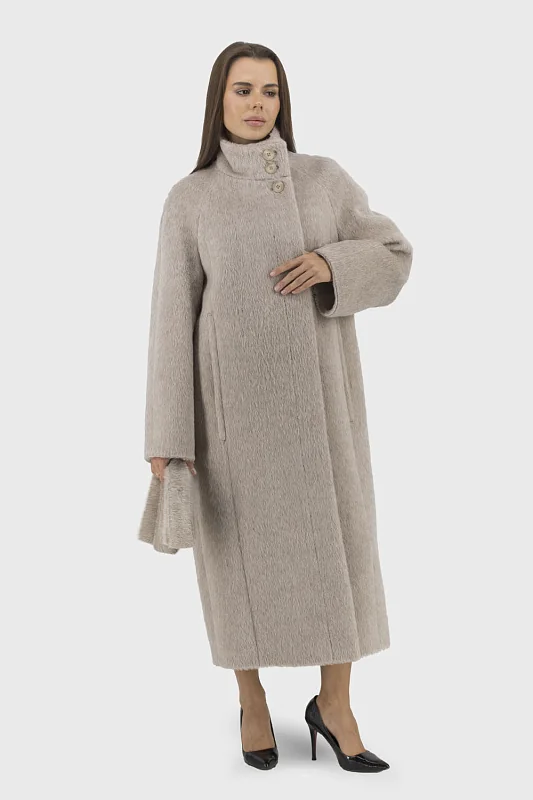
A coat with a wonderful style, excellent tailoring and high-quality fabric. It is soft, lightweight and warm. The online fitting service is very helpful. Thank you to the wonderful team of the online store.

Hello everyone! I recently bought a jacket in this store and want to express my great gratitude because I am fully and even more satisfied with the purchase! : the quality is superb, the design is present in many parts of the product, and just right for spring! Everything is great!

Fantastic coat, beautiful, stylish, warm, light, neatly sewn, raglan sleeve, stand-up collar, can be laid out in English style, fabric does not crease. Special thanks to the online store specialists for attentive service, careful size selection and details clarification, high-quality delivery - in a branded case and flat box to prevent product damage. The store has a wide range of outerwear for every taste. I recommend!
A coat with a wonderful style, excellent tailoring and high-quality fabric. It is soft, lightweight and warm. The online fitting service is very helpful. Thank you to the wonderful team of the online store.
Hello everyone! I recently bought a jacket in this store and want to express my great gratitude because I am fully and even more satisfied with the purchase! : the quality is superb, the design is present in many parts of the product, and just right for spring! Everything is great!
Fantastic coat, beautiful, stylish, warm, light, neatly sewn, raglan sleeve, stand-up collar, can be laid out in English style, fabric does not crease. Special thanks to the online store specialists for attentive service, careful size selection and details clarification, high-quality delivery - in a branded case and flat box to prevent product damage. The store has a wide range of outerwear for every taste. I recommend!